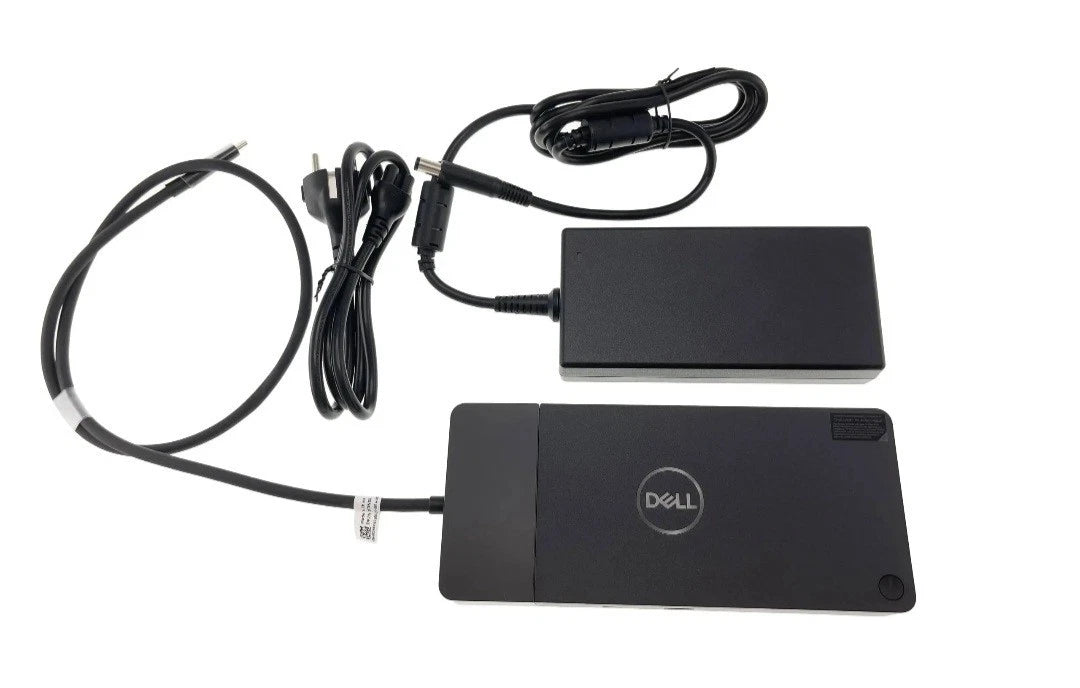
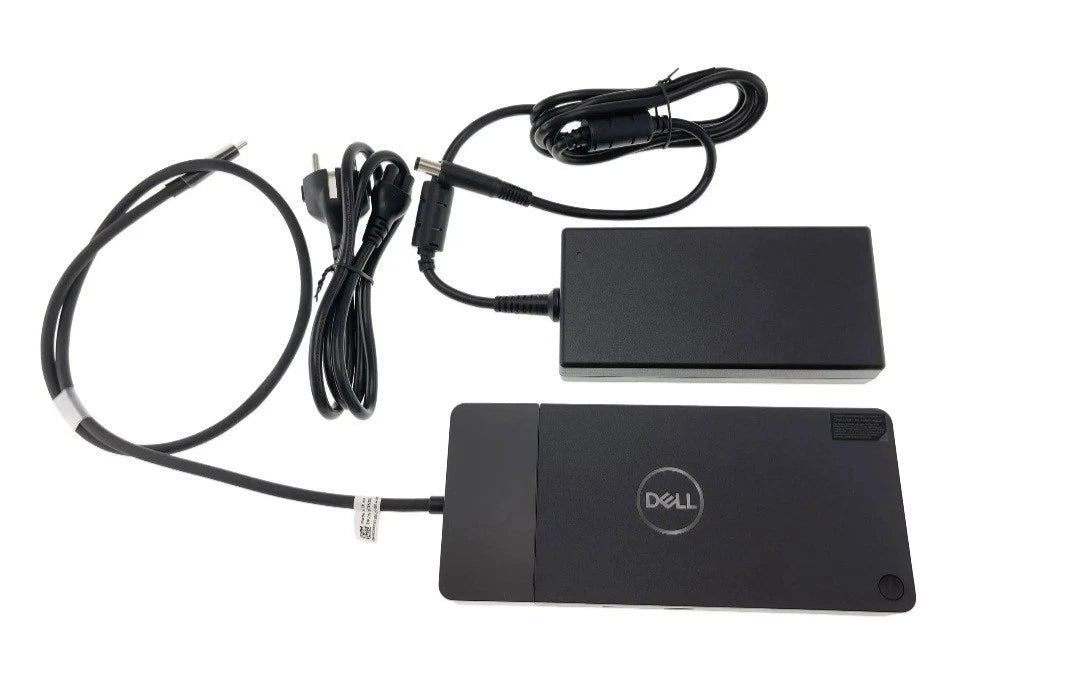
We’ve provided several answers to questions related to New Genuine Dell Performance Dock With 240W Power Adapter WD19DCS 0JMD7X JMD7X BULK PACK , see some other helpful Q&A related to this product.
-
Question: Does it have DisplayPort connections?
Answer: Yes, it has 2 DisplayPort 1.4 ports. DisplayPort 1.4 supports high resolutions and refresh rates, making it ideal for modern monitors.
-
Question: What screen modes are supported?
Answer: The docking station supports 8K, 4K, Full HD, and QHD screen modes. High-resolution support ensures crisp and clear visuals, which is essential for design, analysis, and multitasking.
-
Question: How many USB Type-A ports does it have?
Answer: It has 3 USB 3.1 Gen 1 Type-A ports. USB Type-A is the most common USB connector, so you can connect a wide range of standard peripherals.
-
Question: What type of product is this?
Answer: This is a docking station, which allows you to connect multiple peripherals to your laptop through a single connection, making workspace organization easier and expanding your laptop’s connectivity.
-
Question: What is the height of this docking station?
Answer: The height is 8.07 inches. This gives you an idea of the vertical space it will occupy, which is important for fitting it on your desk or workstation.
-
Question: Does it have DisplayPort connections?
Answer: Yes, it has 2 DisplayPort 1.4 ports. DisplayPort 1.4 supports high resolutions and refresh rates, making it ideal for modern monitors.
-
Question: What screen modes are supported?
Answer: The docking station supports 8K, 4K, Full HD, and QHD screen modes. High-resolution support ensures crisp and clear visuals, which is essential for design, analysis, and multitasking.
-
Question: How many USB Type-A ports does it have?
Answer: It has 3 USB 3.1 Gen 1 Type-A ports. USB Type-A is the most common USB connector, so you can connect a wide range of standard peripherals.
-
Question: What type of product is this?
Answer: This is a docking station, which allows you to connect multiple peripherals to your laptop through a single connection, making workspace organization easier and expanding your laptop’s connectivity.
-
Question: What is the width of the docking station?
Answer: The width is 3.54 inches. Knowing the width helps you plan your workspace layout and ensures it fits in the available area.
-
Question: Does it have DisplayPort connections?
Answer: Yes, it has 2 DisplayPort 1.4 ports. DisplayPort 1.4 supports high resolutions and refresh rates, making it ideal for modern monitors.
-
Question: What screen modes are supported?
Answer: The docking station supports 8K, 4K, Full HD, and QHD screen modes. High-resolution support ensures crisp and clear visuals, which is essential for design, analysis, and multitasking.
-
Question: How many USB Type-A ports does it have?
Answer: It has 3 USB 3.1 Gen 1 Type-A ports. USB Type-A is the most common USB connector, so you can connect a wide range of standard peripherals.
-
Question: What type of product is this?
Answer: This is a docking station, which allows you to connect multiple peripherals to your laptop through a single connection, making workspace organization easier and expanding your laptop’s connectivity.
-
Question: What is the width of the docking station?
Answer: The width is 3.54 inches. Knowing the width helps you plan your workspace layout and ensures it fits in the available area.
-
Question: Does it have DisplayPort connections?
Answer: Yes, it has 2 DisplayPort 1.4 ports. DisplayPort 1.4 supports high resolutions and refresh rates, making it ideal for modern monitors.
-
Question: What screen modes are supported?
Answer: The docking station supports 8K, 4K, Full HD, and QHD screen modes. High-resolution support ensures crisp and clear visuals, which is essential for design, analysis, and multitasking.
-
Question: How many USB Type-A ports does it have?
Answer: It has 3 USB 3.1 Gen 1 Type-A ports. USB Type-A is the most common USB connector, so you can connect a wide range of standard peripherals.
-
Question: What type of product is this?
Answer: This is a docking station, which allows you to connect multiple peripherals to your laptop through a single connection, making workspace organization easier and expanding your laptop’s connectivity.
-
Question: What is the width of the docking station?
Answer: The width is 3.54 inches. Knowing the width helps you plan your workspace layout and ensures it fits in the available area.
-
Question: Does it have DisplayPort connections?
Answer: Yes, it has 2 DisplayPort 1.4 ports. DisplayPort 1.4 supports high resolutions and refresh rates, making it ideal for modern monitors.
-
Question: What screen modes are supported?
Answer: The docking station supports 8K, 4K, Full HD, and QHD screen modes. High-resolution support ensures crisp and clear visuals, which is essential for design, analysis, and multitasking.
-
Question: How many USB Type-A ports does it have?
Answer: It has 3 USB 3.1 Gen 1 Type-A ports. USB Type-A is the most common USB connector, so you can connect a wide range of standard peripherals.
-
Question: What type of product is this?
Answer: This is a docking station, which allows you to connect multiple peripherals to your laptop through a single connection, making workspace organization easier and expanding your laptop’s connectivity.
-
Question: What is the width of the docking station?
Answer: The width is 3.54 inches. Knowing the width helps you plan your workspace layout and ensures it fits in the available area.