How do I show battery percentage on Dell XPS?
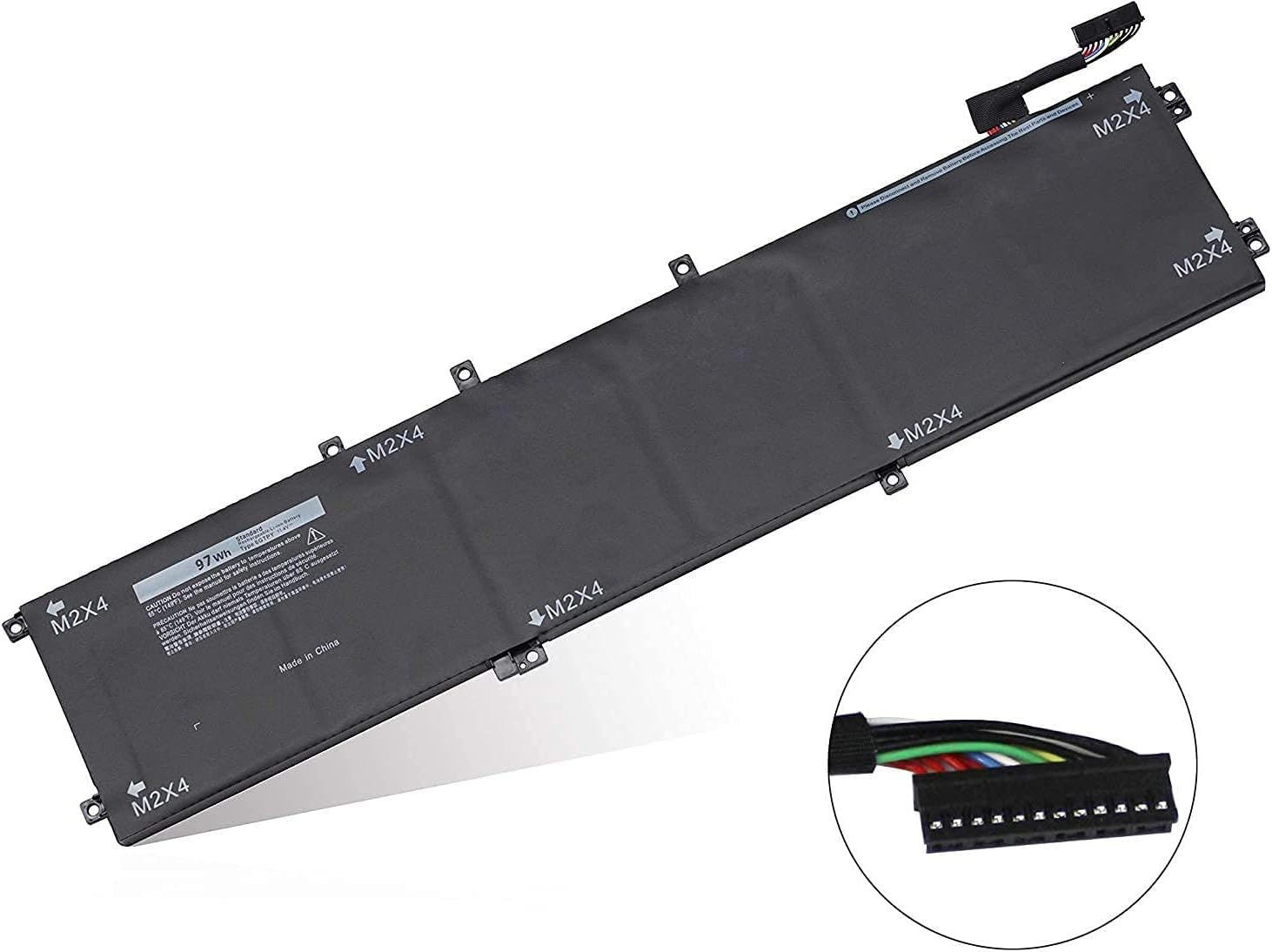
New Compatible Dell XPS 15 7590 9560 9570 Battery 97Wh
Status:
Open Aug 20, 2025 - 09:32 AM
1answer
Answer
Aug 20, 2025 - 09:32 AM
To show the battery percentage on a Dell XPS laptop, click on the battery icon in the system tray on the taskbar. This will display the current battery percentage. If you don't see the battery icon, you may need to enable it by right-clicking on the taskbar, selecting "Taskbar settings," and turning on the "Power" icon under the Notification area section.
View More Product Details
New Compatible Dell XPS 15 7590 9560 9570 Battery 97Wh
Features and Technical Specifications: Number of Cells: 6Capacity: 97WhVoltage: 11.4VColour: Black Compatible Part #'s: 6GTPY, 06GTPY, GPM03, 5XJ28, 4K1VM, 04K1VM, W62W6 **** Please make sure that you choose the correct battery for your laptop **** This might require that you open the base cover...
See More
View all New Compatible Dell XPS 15 7590 9560 9570 Battery 97Wh Questions & Answers